Asana vs ClickUp vs Wrike
Asana, ClickUp, and Wrike are all mature work and project management platforms built around multiple task views, dashboards, and growing AI layers, but they…
Freemium · From Free
Best for: Cross-functional teams that want structured goals, portfolios, and pre-built AI Teammates layered on a clean, enterprise-friendly data model.
Freemium · From Free (paid plans from $7/user/month billed annually)
Best for: Startups and lean teams that want to replace several separate tools (docs, chat, time tracking, whiteboards) with one highly configurable, lower-cost platform.
freemium · From Free plan available; Team plan starts at 9.80 US dollars per user per month billed annually
Best for: Creative and operations teams that need deep Gantt/dependency scheduling, resource management, and Adobe Creative Cloud-grade proofing, with AI included on every plan.
At a Glance
| Asana | ClickUp | Wrike | |
|---|---|---|---|
| Primary category | Project Management | Project Management | Project Management |
| Rating | Not documented | Not documented | Not documented |
| Pricing model | Freemium | Freemium | freemium |
| Starting price | Free | Free (paid plans from $7/user/month billed annually) | Free plan available; Team plan starts at 9.80 US dollars per user per month billed annually |
| Free plan | Yes | Yes | Yes |
| Free trial | Not documented | Not documented | Not documented |
| Platforms | Web, iOS, Android | Web, iOS, Android, Mac, Windows | Web |
| Team collaboration | Yes | Yes | Not documented |
| AI features | Yes | Yes | Yes |
| Public API | Yes | Yes | Yes |
Standout Differences
AI pricing approach differs sharply
Wrike bundles AI Agents and a Priority Inbox into every plan at no extra cost, explicitly undercutting rivals that charge $20-$40 per user per month for comparable AI add-ons. ClickUp instead sells its AI layer, ClickUp Brain, as a separate add-on starting around $9/user/month with a higher 'Everything AI' tier near $28/user/month. Asana includes AI Teammates and AI Studio within its plan structure, with deeper AI Studio credits reserved for Advanced and Enterprise tiers.
Wrike, ClickUp, Asana
ClickUp is the most all-in-one and lowest cost to start paying
ClickUp's paid tier starts at $7/user/month (annual) and bundles docs, whiteboards, chat, native time tracking, and goals directly into the core product, aiming to replace multiple point tools rather than just manage tasks.
ClickUp
Wrike leads on scheduling depth and creative workflows
Wrike's Gantt charts include automatic critical path recalculation, and its resource management and proofing tools (plus a deep, bidirectional Adobe Creative Cloud integration) are built specifically for teams juggling capacity across concurrent projects and creative review cycles.
Wrike
Asana centers structured goal and portfolio tracking
Asana's Work Graph links goals, portfolios, projects, and tasks, and its Advanced plan adds unlimited portfolios, goals management, and workload tracking, backed by three consecutive years as a Gartner Magic Quadrant Leader for Collaborative Work Management.
Asana
Free plans differ meaningfully in who they fit
Asana's free Personal plan is now capped at 2 users for new accounts, Wrike's free plan supports unlimited users but only basic boards and tables, and ClickUp's Free Forever plan allows unlimited tasks and members but caps storage at 60MB, so the best free option depends on whether team size or storage is the bigger constraint.
Asana, Wrike, ClickUp
Feature-by-Feature
Core planning and views
| Feature | Asana | ClickUp | Wrike |
|---|---|---|---|
| Gantt/timeline view | Available | Available | Available |
| Board, list, and calendar views | Available | Available | Available |
| Goals and portfolio tracking | Available | Available | Limited |
Collaboration and content
| Feature | Asana | ClickUp | Wrike |
|---|---|---|---|
| Native docs/whiteboards | Limited | Available | Not documented |
| Proofing and creative approvals | Limited | Not documented | Available |
| Native time tracking | Not documented | Available | Available |
AI and automation
| Feature | Asana | ClickUp | Wrike |
|---|---|---|---|
| Built-in AI agents/assistant | Available | Available | Available |
| Workflow automations | Available | Available | Available |
Access and integrations
| Feature | Asana | ClickUp | Wrike |
|---|---|---|---|
| Free plan available | Available | Available | Available |
| Third-party integration breadth | Available | Not documented | Available |
Pricing Compared
Starting price reflects the lowest paid tier, not the full cost for every team size or usage level.
Asana
ClickUp
Wrike
Pros & Cons
Asana
Pros
- Free plan available for small teams
- Flexible views suit many project management styles
- Strong third-party integration ecosystem
- AI Teammates and AI Studio add automation without extra tools
Cons
- Free plan is limited to 2 users on new accounts
- Advanced features (goals, portfolios, AI Studio credits) require Advanced or Enterprise plans
- Per-user pricing can get expensive for large teams
- Feature depth can mean a learning curve for new users
ClickUp
Pros
- Extremely broad feature set that can replace several separate point tools.
- Generous free plan with unlimited tasks and members.
- Highly configurable views and permissions suited to many team types.
- Frequent product updates and an active AI feature roadmap.
Cons
- The breadth of features creates a steeper learning curve than simpler single-purpose tools.
- AI features (ClickUp Brain) are priced as add-ons rather than bundled into base plans.
- Free plan storage is limited (60MB), pushing active teams toward paid tiers quickly.
- Some advanced reporting and security controls are reserved for Business and Enterprise tiers.
Wrike
Pros
- Deep Gantt chart and dependency management rivaling dedicated scheduling tools
- Highly configurable, real-time dashboards with shareable external views
- AI Agents and Priority Inbox included on all plans rather than sold as a paid add-on
- Very strong Adobe Creative Cloud integration for creative teams
- Free plan supports unlimited users for basic use cases
Cons
- Business and higher tiers can get expensive per user compared to lighter competitors
- Feature depth and configurability create a steeper learning curve for new users
- Resource management and proofing are locked behind the Business plan or higher
- Complex ownership history (Vista to Citrix and back to Vista) has occasionally raised questions about long-term product direction
Use Cases
Asana
- Cross-Functional Project Tracking — Coordinate tasks and deadlines across marketing, product, and operations teams.
- AI-Assisted Workflow Automation — Use AI Teammates and AI Studio to automate repetitive project and reporting tasks.
ClickUp
- Cross-functional project management — Teams use ClickUp to plan, assign, and track work across marketing, product, and operations in one workspace.
- Agency and client work tracking — Agencies use ClickUp's Spaces and custom permissions to manage multiple client projects with separate visibility.
- Solo and small-team task management — Freelancers and small startups use the free plan for personal and team to-do tracking without upfront cost.
Wrike
- Marketing and Creative Project Management — Marketing and creative teams use Wrike's proofing tools and Adobe Creative Cloud integration to manage campaign production and review.
- Cross-Functional Portfolio Tracking — Operations and PMO teams use Gantt charts and dashboards to track multiple projects and dependencies across departments.
- Resource and Capacity Planning — Managers use workload views to balance task assignments and prevent overallocation across team members.
Screenshots
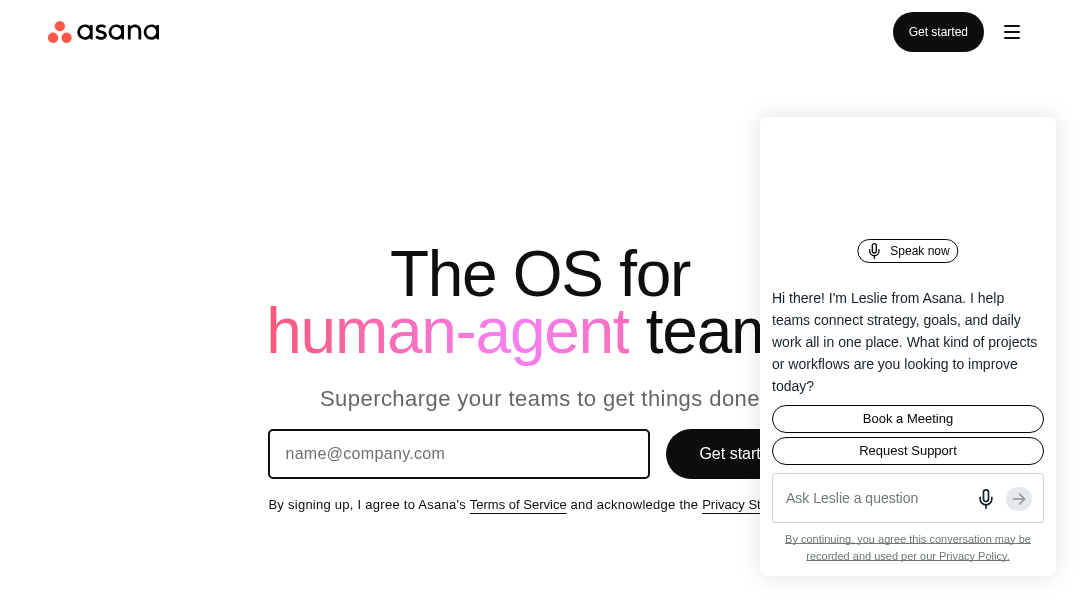
Asana
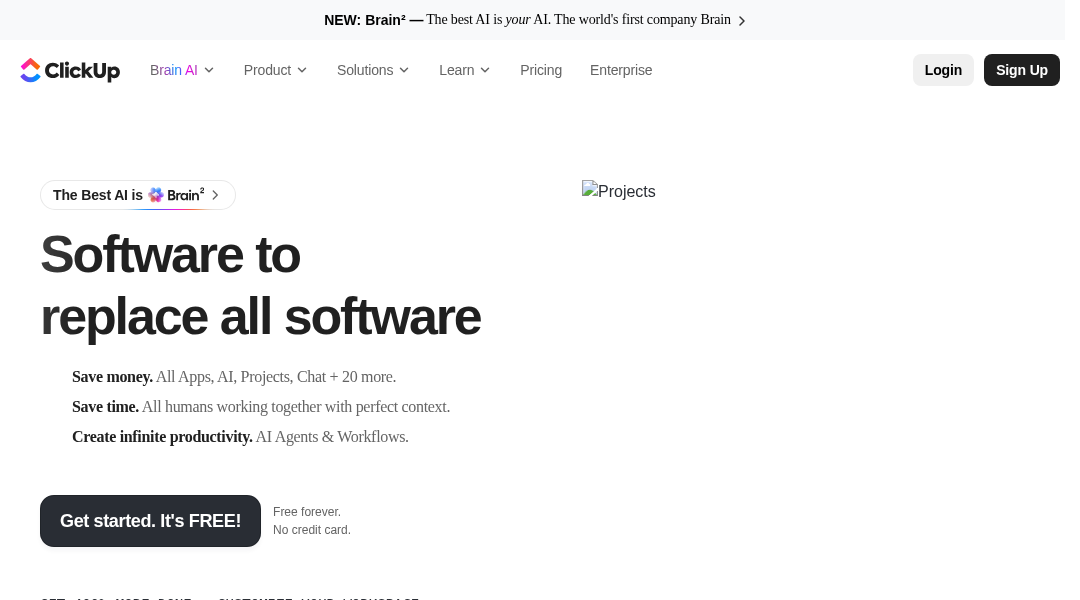
ClickUp
Frequently Asked Questions
Which of Asana, ClickUp, and Wrike has the most generous free plan?
It depends on the constraint that matters most. Wrike's free plan allows unlimited users but only basic boards and tables. ClickUp's free plan allows unlimited tasks and members but caps storage at 60MB. Asana's free Personal plan is limited to 2 users for new accounts, making it the most restrictive of the three for teams larger than a pair of collaborators.
Which tool includes AI features without an extra fee?
Wrike stands out here: as of January 2026, its AI Agents and AI Priority Inbox are included on all plans at no additional cost. ClickUp sells its AI layer, ClickUp Brain, as a separate add-on starting around $9/user/month. Asana includes AI Teammates and AI Studio as part of its plan structure, though deeper AI Studio credits are tied to its Advanced and Enterprise tiers.
Which platform is best for creative teams that need approval workflows?
Wrike is the strongest fit for creative review, thanks to its dedicated proofing and approval tools and a deep, bidirectional Adobe Creative Cloud integration. Asana offers approvals/proofing on its Advanced plan, while ClickUp does not document a comparable native proofing feature.
How do entry-level paid plans compare on price?
ClickUp's Unlimited plan starts at $7/user/month billed annually, the lowest entry point of the three. Wrike's Team plan starts at $9.80/user/month billed annually. Asana's Starter plan starts at $10.99/user/month billed annually ($13.49 billed monthly).
Which tool is best for a team that wants one app to replace several separate tools?
ClickUp is the most explicitly all-in-one of the three, bundling tasks, Docs, Whiteboards, Chat, Goals, Dashboards, and an AI assistant into a single workspace to reduce the number of separate subscriptions a team needs.
Which platform is most oriented toward large, enterprise-scale goal and portfolio tracking?
Asana's Work Graph data model and its multi-year run as a Gartner Magic Quadrant Leader for Collaborative Work Management, combined with 85% of Fortune 100 companies reportedly using the platform, make it a strong option for organizations that prioritize structured goals, portfolios, and workload tracking across many teams.
Related Comparisons
- Asana vs ClickUp vs Height
- Asana vs ClickUp vs Scoro
- Asana vs ClickUp vs Workfront
- Celoxis vs Hive vs Wrike
Read the full Asana review · Read the full ClickUp review · Read the full Wrike review