Aptabase vs Countly Community Edition vs d8a.tech
Aptabase, Countly Community Edition, and d8a.tech are all free, open-source analytics tools built around data ownership, but they take different architectural…
Freemium · From Free (up to 20,000 events/month)
Best for: Developers who want a lightweight, privacy-first analytics SDK for mobile, desktop, or web apps with a polished built-in dashboard, plus a free managed tier if they'd rather not self-host at all.
Free / Open Source · From Free
Best for: Teams that want the richest self-hosted feature set out of the box — crash reporting, push notifications, and a Compliance Hub — without paying for Countly's commercial tiers.
Freemium / Open Source · From Free
Best for: Engineering-led teams that already run, or want to run, a data warehouse and prioritize GA4/Matomo protocol compatibility and full data portability over a polished out-of-the-box dashboard.
At a Glance
| Aptabase | Countly Community Edition | d8a.tech | |
|---|---|---|---|
| Primary category | Analytics | Analytics | Analytics |
| Rating | Not documented | Not documented | Not documented |
| Pricing model | Freemium | Free / Open Source | Freemium / Open Source |
| Starting price | Free (up to 20,000 events/month) | Free | Free |
| Free plan | Yes | Yes | Yes |
| Free trial | Not documented | Not documented | Not documented |
| Platforms | Web, iOS, Android, Mac, Windows | Web, iOS, Android | Web |
| Team collaboration | Not documented | Not documented | Not documented |
| AI features | Not documented | Not documented | Yes |
| Public API | Yes | Yes | Yes |
Standout Differences
All three are free to self-host indefinitely
Aptabase, Countly Community Edition, and d8a.tech are each open source and can be run on your own infrastructure at no license cost.
Aptabase, Countly Community Edition, d8a.tech
Countly Community Edition ships the richest built-in feature set
Crash reporting, push notifications, remote configuration, in-app rating widgets, and a Compliance Hub are all included in the free self-hosted edition.
Countly Community Edition
d8a.tech is built to fit in behind existing GA4 or Matomo tracking
Its ingestion pipeline accepts the GA4 Measurement Protocol and Matomo's tracking API directly, so teams can redirect existing tracking snippets with little to no code migration, then query the resulting schema with dbt, Looker, or Metabase.
d8a.tech
Aptabase offers the simplest path if you don't want to self-host
Its free managed tier covers up to 20,000 events per month in EU or US data centers, without requiring any infrastructure setup.
Aptabase
d8a.tech has no built-in polished dashboard
Because it's positioned as a warehouse-native ingestion and storage layer, d8a.tech expects teams to connect their own BI or SQL dashboard tooling, unlike Aptabase and Countly Community Edition, which include a dashboard out of the box.
d8a.tech
Feature-by-Feature
Deployment
| Feature | Aptabase | Countly Community Edition | d8a.tech |
|---|---|---|---|
| Free self-hosting | Available | Available | Available |
| Managed cloud option without self-hosting | Available | Unavailable | Available |
Core Analytics
| Feature | Aptabase | Countly Community Edition | d8a.tech |
|---|---|---|---|
| Custom event tracking | Available | Available | Available |
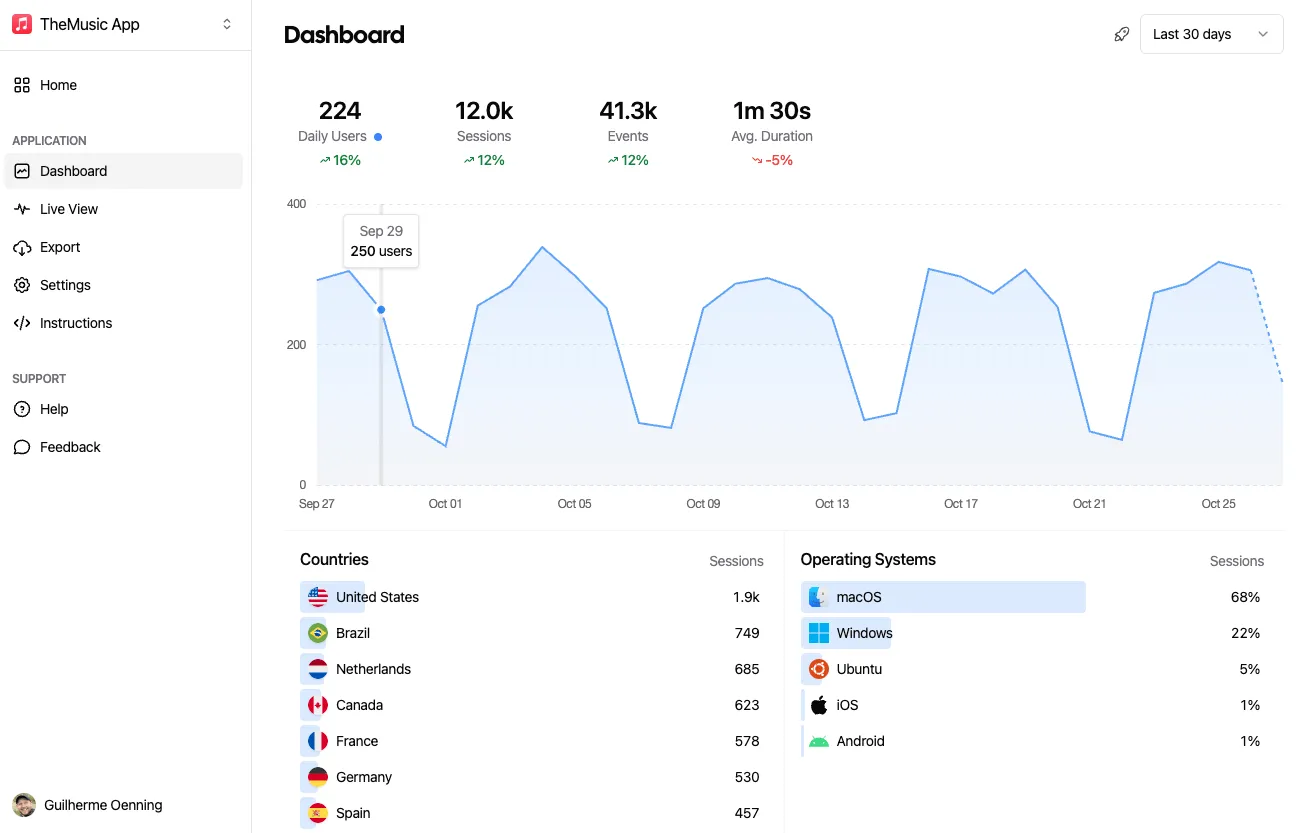
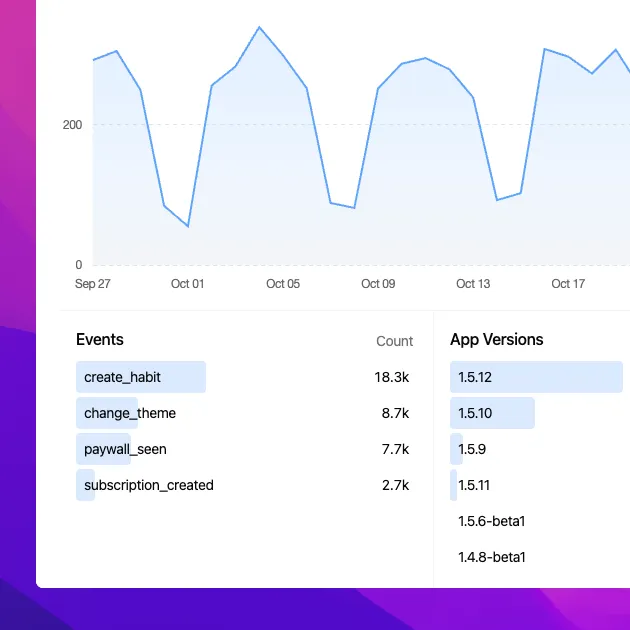
| Built-in polished dashboard | Available | Available | Limited |
| GA4 / Matomo protocol compatibility | Unavailable | Unavailable | Available |
Engagement and Data Portability
| Feature | Aptabase | Countly Community Edition | d8a.tech |
|---|---|---|---|
| Crash and error reporting | Unavailable | Available | Unavailable |
| Push notifications | Unavailable | Available | Unavailable |
| Direct writes to a data warehouse (ClickHouse, BigQuery, S3/GCS) | Unavailable | Not documented | Available |
Pricing Compared
Starting price reflects the lowest paid tier, not the full cost for every team size or usage level.
Aptabase
Countly Community Edition
d8a.tech
Pros & Cons
Aptabase
Pros
- Fully open source and self-hostable at no cost
- Privacy-first design with no cookies or device fingerprinting
- Broad SDK coverage across mobile, desktop, and web platforms
- Generous free tier (20,000 events/month) with no overage fees
Cons
- Smaller and newer than established analytics platforms, so advanced behavioral analytics (deep funnels, cohorts) are more limited
- Anonymity-by-design means less granular per-user tracking than identity-based analytics tools
- Exact paid-tier pricing requires configuring event volume on the site rather than being listed upfront
Countly Community Edition
Pros
- Completely free and open source under AGPL-3.0
- Full data ownership through self-hosting
- Actively maintained with frequent releases and a large GitHub community
- Covers the same core SDKs as Countly's commercial editions
- Straightforward Docker or script-based installation
Cons
- Lacks advanced adaptivity and AI intelligence features reserved for paid tiers
- Requires self-managed infrastructure, MongoDB, and ongoing maintenance
- No dedicated customer success management or SLA
- Support relies on community forums and documentation rather than paid support
d8a.tech
Pros
- Full data ownership with no vendor lock-in into a third-party analytics dashboard.
- Free to self-host indefinitely under a permissive MIT license.
- Drop-in compatibility with existing GA4/Matomo tracking reduces migration effort.
- Self-hosted and air-gapped options make it attractive for regulated industries.
Cons
- Requires warehouse infrastructure knowledge (ClickHouse/BigQuery) to get full value.
- Native web tracker is still in beta.
- Limited third-party reviews and public track record given its early stage.
- No polished built-in BI or visualization layer; relies on external dashboards.
Use Cases
Aptabase
- Mobile app analytics — Track feature usage and events in native iOS and Android apps without collecting personal data.
- Desktop app telemetry — Monitor usage in Electron or Tauri desktop applications.
- Privacy-compliant web analytics — Add anonymous event tracking to web apps while staying aligned with GDPR/CCPA.
Countly Community Edition
- Self-hosted product analytics — Development teams wanting full control of analytics data without a subscription.
- Privacy and compliance-sensitive deployments — Organizations with data residency or regulatory requirements that need on-premises analytics.
d8a.tech
- Privacy-first web analytics for regulated industries — Organizations needing GDPR/HIPAA-aligned data residency can self-host d8a on-premises or air-gapped, keeping clickstream data within their own infrastructure while still using familiar GA4/Matomo tracking.
- Warehouse-native analytics for data teams — Teams already running BigQuery or ClickHouse can pipe web analytics directly into their warehouse via d8a instead of exporting from GA4, simplifying joins with other business data.
- Free GA4 alternative for cost-conscious teams — Teams wanting to avoid GA4 data limits or Google's data handling can switch to d8a's free EU cloud tier with minimal tracking code changes.
Screenshots
Aptabase
Frequently Asked Questions
Which of these requires the least infrastructure to self-host?
Aptabase and Countly Community Edition ship as installable server applications with their own database, while d8a.tech expects you to bring a data warehouse such as ClickHouse or BigQuery plus optional object storage, making it the most infrastructure-intensive of the three.
Which tool tracks app crashes and sends push notifications?
Countly Community Edition is the only one of the three with built-in crash reporting and push notifications.
Can I migrate my existing GA4 or Matomo tracking without recoding?
d8a.tech is designed for this — it accepts events through the GA4 Measurement Protocol and Matomo's tracking API, so existing gtag.js or Matomo snippets can often be redirected with little to no code changes.
Is there a free managed cloud option if I don't want to self-host?
Aptabase offers a free managed tier up to 20,000 events per month, and d8a.tech offers a free EU-hosted cloud collector. Countly Community Edition itself is self-hosted only; a hosted option requires the separate commercial Countly product.
Which is best suited for regulated industries with strict data residency needs?
d8a.tech explicitly markets itself toward HIPAA, GDPR, FedRAMP, and SOX-sensitive deployments, including self-hosted and fully air-gapped configurations.
Do I need a separate BI tool to use these?
Aptabase and Countly Community Edition both include a built-in dashboard, so no extra tooling is required. d8a.tech is warehouse-native, so most teams will connect it to dbt, Looker, Metabase, or a similar tool for visualization.
Related Comparisons
Read the full Aptabase review · Read the full Countly Community Edition review · Read the full d8a.tech review